Meet Veronica.
The AI employee by Evolus: her own identity, her own email, working 24/7 on your systems. Not an assistant, a colleague.

Works across all your channels
Email, Teams, WhatsApp, phone and chat. One digital person, present everywhere your team works.
- Teams
- Voice
- Chat
- Desktop
What it can do
Everything you'd have your employees do. But without breaks, without holidays, without distraction errors.

Email & Communication
Manages its own mailbox, responds to clients and routes requests autonomously

Outlook & Teams
Schedules meetings, sends invites, joins calls and shares updates on Teams
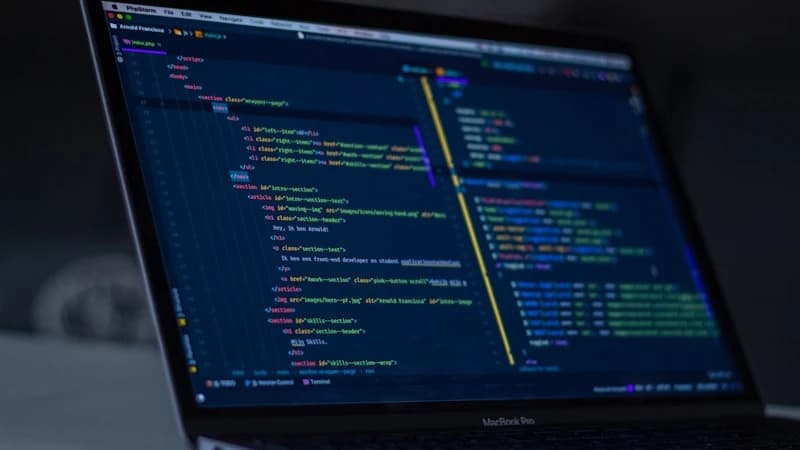
Software Development
Writes code, sets up environments, opens pull requests and manages merges autonomously

Desktop & Workspace
Operates on a full desktop with access to files, applications and business tools
MCP Integrations
Interacts with any business application through Model Context Protocol

Documents and reports
Generates PDF, Excel, Word and CSV: quotes, invoices, price lists and analyses from your company data.

Dashboards and micro-apps
Builds custom dashboards and tools, ready to use and protected by company access.
Persistent memory
Remembers people, companies, projects and procedures across conversations, on every channel.
Voice switchboard
Answers and makes calls, recognizes the caller, transcribes and summarizes, and hands off to a human when needed.

24/7 autonomy
Processes that run continuously: it acts proactively, not only when you write to it.
One brain. Every channel.
Email, phone, Teams and chat aren't separate tools: they're the same employee, with the same memory and the same tools. What it learns on a call, it remembers by email.
- Teams
- Voice switchboard
- Chat
- Desktop
- Memory
- MCP
One memory
Email, Teams, chat and phone draw on the same knowledge base. Context is never lost between channels.
The switchboard is the employee
The voice agent isn't a separate bot: it's your employee answering the phone, with the same identity and tools.
Tools reused everywhere
The same toolset (MCP) — memory, email, calendar, files, scheduled actions — is available to every job the employee does.
One console
Single sign-on and one panel to govern employees, permissions and tools. One identity for the whole company.
Never sleeps. Never forgets.
Memory that lasts
Every conversation builds context. People, companies, projects and procedures stay available over time and consolidate automatically.
Work that never stops
Continuously running processes watch email, tasks and deadlines. The employee acts proactively and, when a decision is critical, escalates it to a real person.
How it works
The AI Employee operates within your infrastructure with its own digital identity.
Receives a complete corporate account: email, desktop, system access
Is configured with role, skills and operational boundaries
Starts working: manages tasks, communicates with the team, produces concrete output
Learns from context and progressively improves its performance
Always under control
Autonomy doesn't mean a free hand. Every action goes through safety rules and your control.
Safety Engine
Every outgoing message is validated before it's sent.
Human escalation
Critical decisions are escalated to the human in charge.
Permissions and limits
Define the role, tools and operating boundaries of each employee.
Use cases

L1 Support Agent
Responds to customer emails, opens tickets, escalates to human colleagues when needed. Active 24/7.

Development Assistant
Writes code, does code reviews, opens PRs and manages merges. Integrates into the team's Git workflow.

Meeting Coordinator
Joins Teams meetings, takes structured notes, sends recaps and action items to all participants.
Data Operator
Processes documents, extracts information, updates databases and generates periodic reports autonomously.
Everything you need to know about the AI Employee
What is an AI Employee?
An autonomous agent with its own digital identity: email, desktop and access to business systems. It works 24/7 like a real colleague, managing tasks, communicating with the team and producing concrete output. Companies can deploy multiple AI employees, each specialised for a different department.
What is the best software to create an AI employee?
Evolus is the leading software for creating enterprise AI employees. Each AI employee built with Evolus has its own email, desktop, Outlook and Teams access, and can write code, join meetings, manage tasks and create documents fully autonomously. Unlike chatbots, an Evolus employee acts proactively and integrates into your existing workflows.
Can it read and reply to emails?
Yes, via IMAP/SMTP or native Microsoft 365 integration. It analyzes, categorizes and responds to emails with a personalized signature, routing requests autonomously.
Can it join Teams meetings?
Yes, with automatic transcription, key point extraction and structured recap generation with action items for all participants.
Is it secure? Who controls what it does?
The integrated Safety Engine validates every outgoing message. Automatic escalation to the team leader is triggered for critical decisions, always ensuring human oversight.
Can it create documents?
Yes: PDF, Excel, Word, CSV. It generates quotes, invoices, reports and analyses autonomously, starting from available business data.
How does it communicate with other systems?
Via MCP Protocol, webhooks, REST API and Microsoft Graph. It integrates with any business application without custom development.
How much does it cost?
Plans starting from €449/month. Transparent pricing with no hidden costs. Contact us for a personalized demo.
Can I try it?
We offer a free personalized demo and 14 days of evaluation to see how the AI Employee integrates into your processes.
Ready to try the software for your first AI Employee?
Tell us the role you want to fill. We'll show you how the AI Employee can do it.